
2.36.24
Issue priorities
The priority of each kind of issue. The Issues list shows the most urgent issues first, so the priority decides what support looks at first.
How to get there
- From Administration's Settings: Priorities, in the Issues group.
Permission
The page needs View issues; changing a priority needs Manage issue rules, actions and priorities. Both are in the Business support section of Administration's Permissions, and Full access allows them too. Without the right to change them, the page says You can view the priorities, but not change them. See Permissions.
Only Manage issue rules, actions and priorities brings Settings into the menu. With View issues alone, you reach this page, Actions and Rules only by their address.
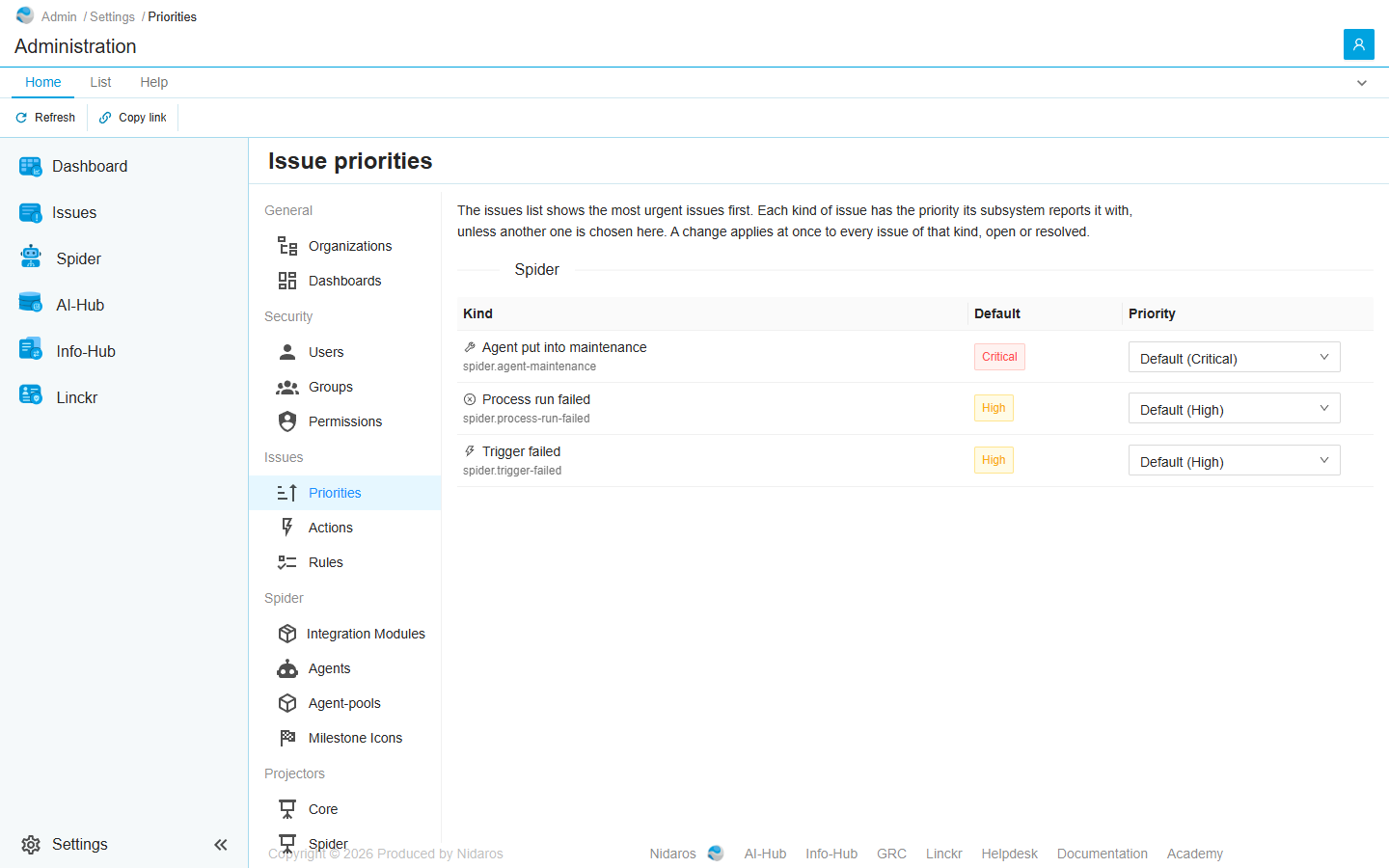
The page
One table per subsystem that reports issues; today that is Spider only.
| Column | Shows |
|---|---|
| Kind | The kind of issue, with its key under it, such as spider.process-run-failed. |
| Default | The priority Spider reports this kind with. |
| Priority | The priority it has: Default (High), or Critical, High, Normal or Low chosen here. |
Pick another priority and it is saved at once: The priority of Process run failed is saved. It applies straight away to every issue of that kind, open or resolved, and the Issues list sorts them again. Default goes back to the priority Spider reports.
The priorities are Critical, High, Normal and Low, from the most urgent. Spider reports a failed run and a failed trigger as High, and an agent put into maintenance as Critical, since no work reaches it until someone takes it out again.
Commands
| Tab | Group | Command | What it does | Disabled when |
|---|---|---|---|---|
| Home, List | View | Refresh | Reads the priorities again. | |
| Home | Share | Copy link | Copies the link to this page. |
When the priorities change elsewhere
When someone else changes a priority while you have the page open, a banner says so: “Issue priorities” was changed by someone else. Reload shows them as they are now; every priority you chose is saved already. See Changed elsewhere.