
2.36.24
Dashboards
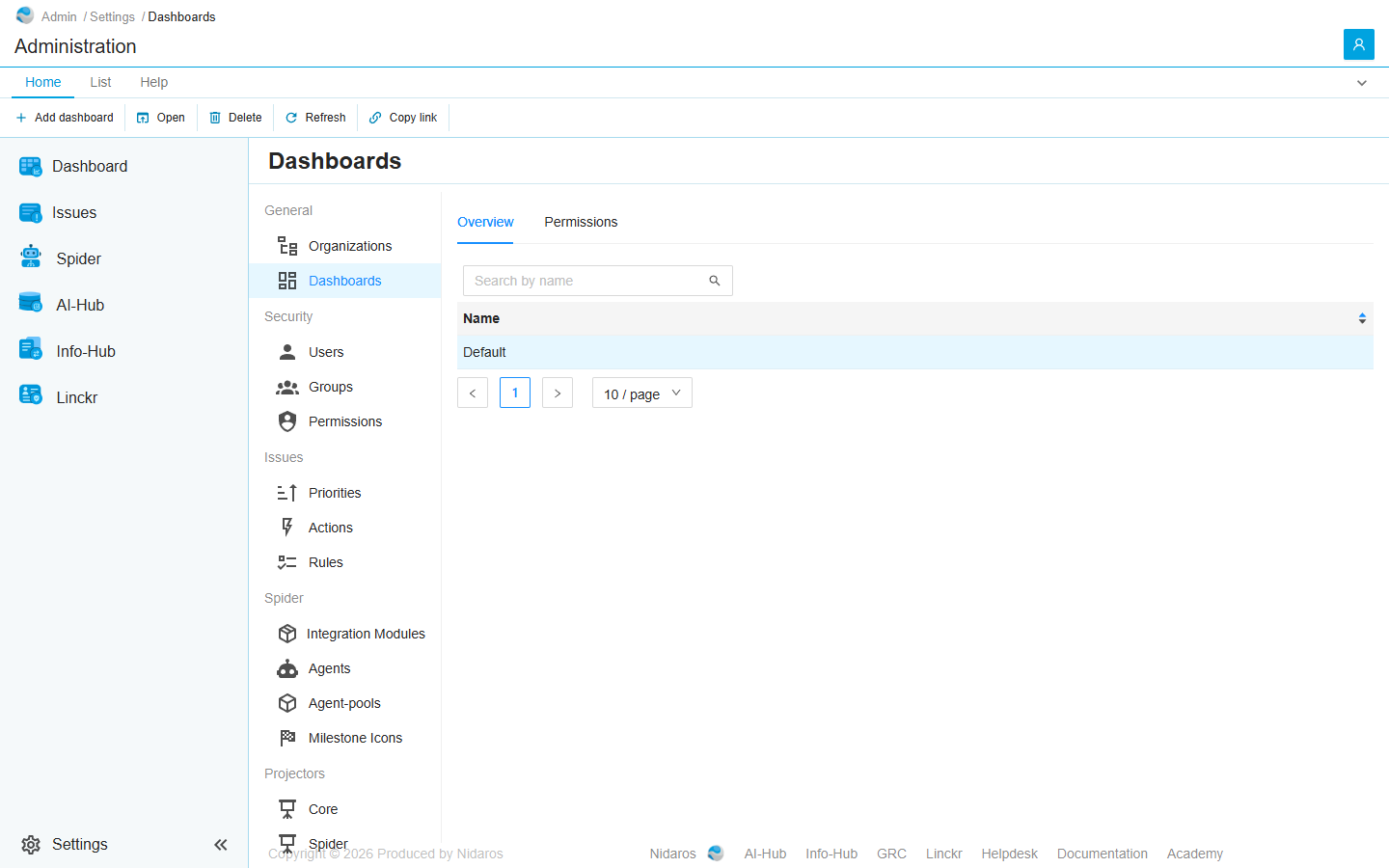
Administration's dashboards, by name. This page adds and deletes them, and says who may change them. A dashboard's widgets are arranged in its editor: see Editing a dashboard.
How to get there
- From Administration's Settings: Dashboards, in the General group.
Permission
The page needs Full access. The List, Add and Delete sets on its own Permissions tab let others use it once they have its address: the settings menu shows Dashboards only with Full access. The Permissions tab needs View permissions or Manage permissions. See Permissions.
Views
Overview
Every dashboard of Administration, in one column, Name. Type in Search by name to find a dashboard, or click the header to sort.
Double-click a dashboard, or select it and click Open, to see it: see Dashboard.
Permissions
Who may do what with all of Administration's dashboards at once: List, View, Add, Change, Set as default and Delete, and View permissions and Manage permissions. The same tab in a dashboard's editor gives them for that dashboard alone. See Permissions.
Commands
| Tab | Group | Command | What it does | Disabled when |
|---|---|---|---|---|
| Home, List | New | Add dashboard | Adds a dashboard: see Add dashboard. Overview only. | |
| Home, List | Open | Open | Opens the selected dashboard. Overview only. | Nothing is selected. |
| List | Open | Open in new tab | Opens it in a new browser tab. Overview only. | Nothing is selected. |
| Home, List | Manage | Delete | Deletes the selected dashboard, after asking (Are you sure you want to delete this dashboard?). Overview only. | Nothing is selected, or you may not delete this one. |
| Home, List | View | Refresh | Reads the list again. Overview only. | |
| Home, Permissions | Principals | Add group or user, Remove | Adds a user or group to the Permissions tab, or removes every permission the selected one has here. Permissions only. | Remove: no user or group is selected. |
| Home | Share | Copy link | Copies the link to the selected dashboard, or to this page. |
Drawers and dialogs
Add dashboard
- Name: the dashboard's name.
Click Add, or Cancel. The new dashboard is empty: open it and click Edit, or Add widget, to give it widgets. When it can't be added, Spider doesn't say so: check the list afterwards.
Related chapters
- Dashboard
- Dashboards: an organization's dashboards.