
2.36.24
Integration Module
One version of an uploaded integration module: its details, the activities it brings, and its other versions. The page is the same as an organization's Integration Module page, which describes its tabs; this one opens on any module of the catalogue, activated somewhere or not.
How to get there
- From Integration Modules: double-click a module, or select it and click Open. That opens its latest version.
- From the module's Versions tab: open another version.
Permission
The page needs View integration modules, in the Platform section of Administration's Permissions, or Full access. Nothing on it can be changed.
Manage integration modules alone doesn't open the Activities tab, which reads the catalogue of activities: give View integration modules with it. See Permissions.
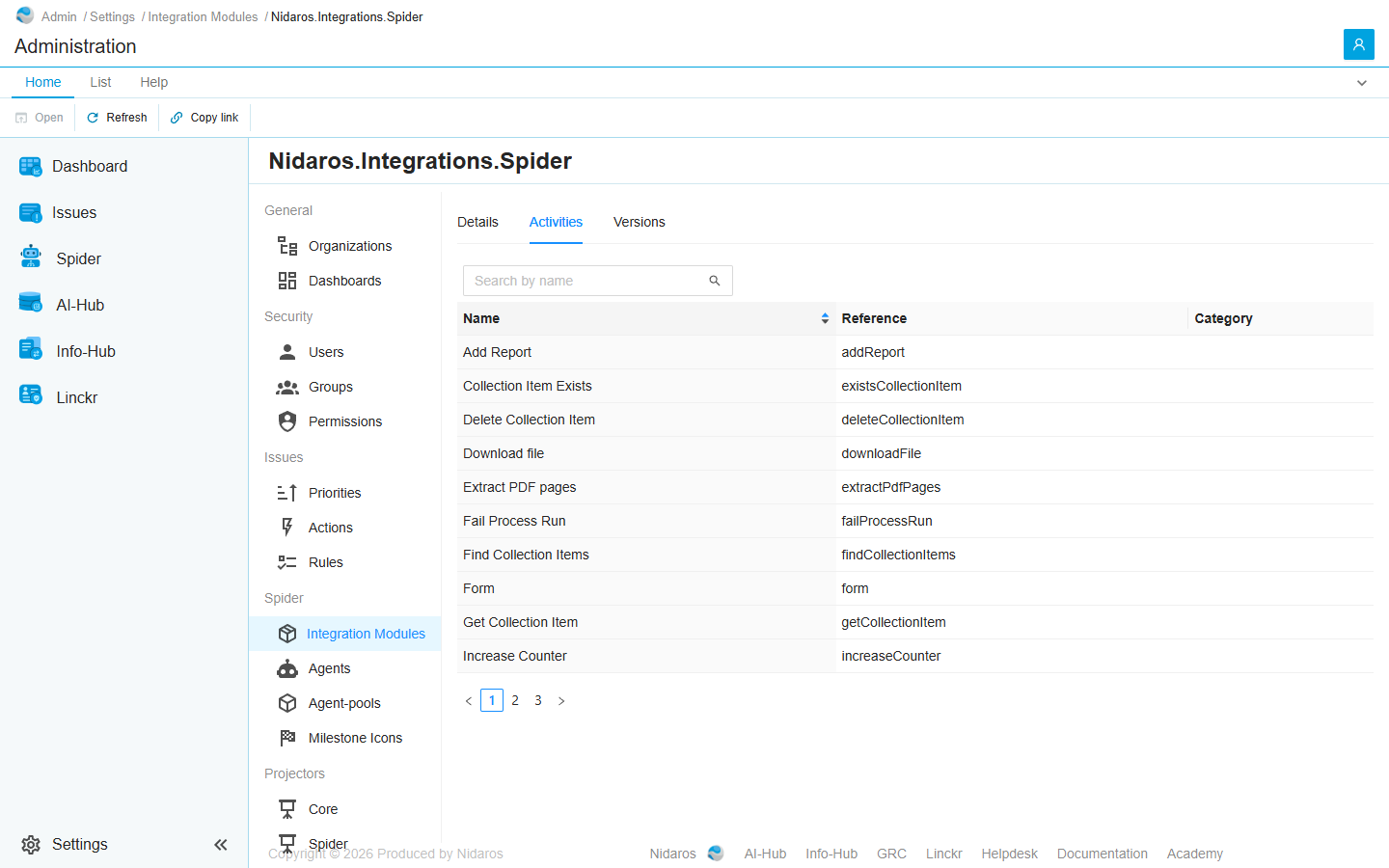
Views
The tabs are an organization's: see Details, Activities and Versions.
Details
What the module's package says about this version. Released and Last updated are when this version was uploaded to Spider.
Activities
The activities of this version's major version. Double-click one to see its inputs and outputs.
Versions
Every version of the module uploaded to Spider, the highest first, with when it was Published. Open one to see its page.
Commands
| Tab | Group | Command | What it does | Disabled when |
|---|---|---|---|---|
| Home, List | Open | Open | Opens the selected activity's drawer, or the selected version's page. Activities and Versions only. | Nothing is selected. |
| List | Open | Open in new tab | Opens the version in a new browser tab. Versions only. | Nothing is selected. |
| Home, List | View | Refresh | Reads the list again. Activities and Versions only. | |
| Home | Share | Copy link | Copies the link to this page, with its tab. |
To add a version, upload it on Integration Modules.
Related chapters
- Integration Modules
- Integration Module, in an organization's settings.