
2.36.24
Agent-pools
Every agent-pool on this Spider server: the shared pools, whose agents work for every organization, and every organization's own. An agent-pool is a group of agents that work as one: each agent registers into its pool with one of the pool's tokens, and takes on the pool's capabilities.
An organization's own pools show on its Agent-pools page too. A shared pool is managed only here.
How to get there
- From Administration's Settings: Agent-pools, in the Spider group.
Permission
The page needs View agent-pools. Add agent-pool and Edit need Add and change agent-pools, and Delete needs Delete agent-pools. They are in the Agents section of Administration's Permissions, and Full access allows them all. Choosing an organization for a new pool also needs View organizations. See Permissions.
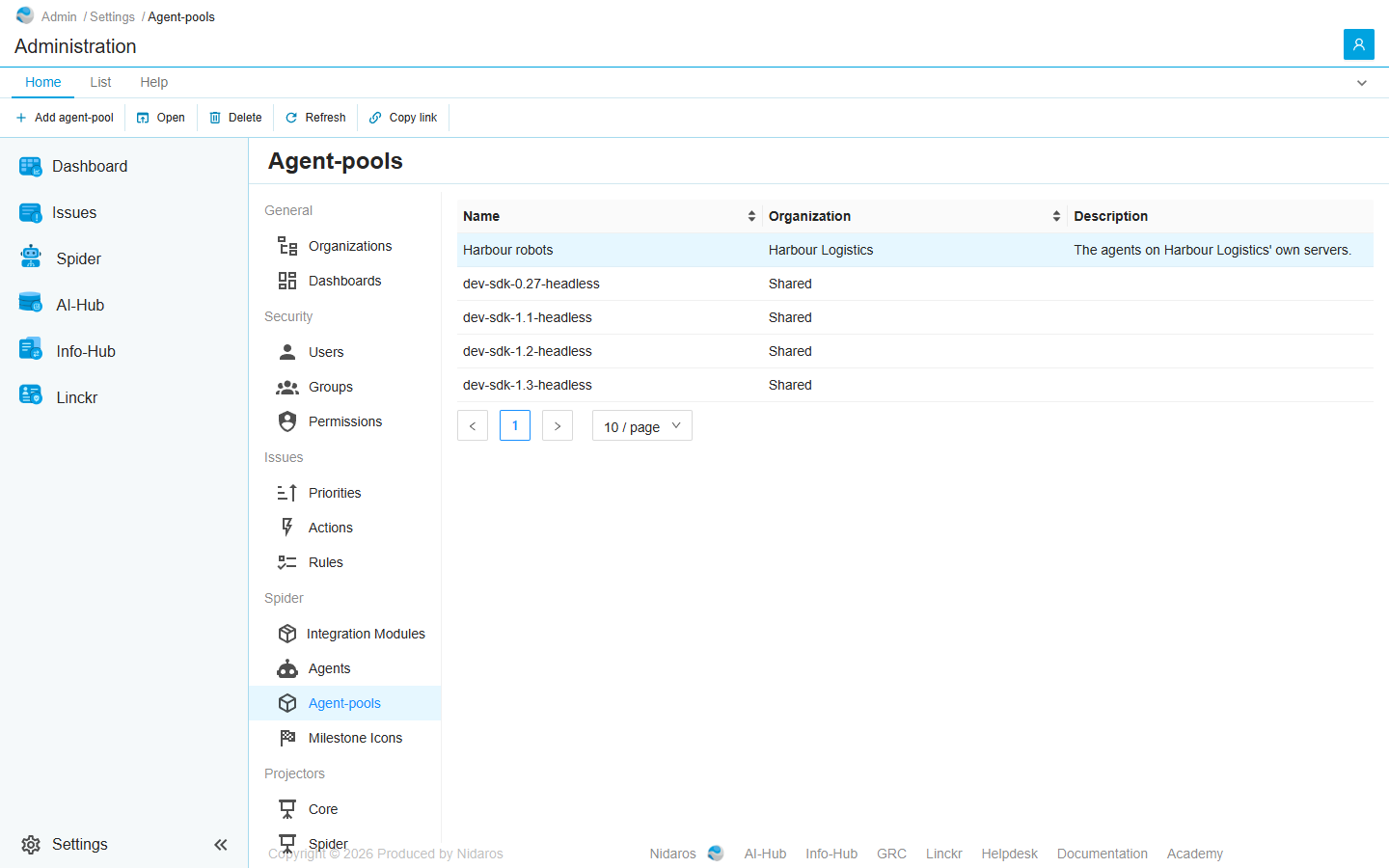
The list
| Column | Shows |
|---|---|
| Name | The pool's name. |
| Organization | The organization that owns it, or Shared. |
| Description | What the pool is for. |
Click Name or Organization to sort.
Double-click a pool, or select it and click Open, to see its page: see Agent-pool.
Commands
| Tab | Group | Command | What it does | Disabled when |
|---|---|---|---|---|
| Home, List | New | Add agent-pool | Adds a pool: see Add agent-pool. | |
| Home, List | Open | Open | Opens the selected pool's page. | Nothing is selected. |
| List | Open | Open in new tab | Opens it in a new browser tab. | Nothing is selected. |
| List | Manage | Edit | Changes the selected pool's name and description. | Nothing is selected, or you may not change this one. |
| Home, List | Manage | Delete | Deletes the selected pool, after asking. | Nothing is selected, or you may not delete this one. |
| Home, List | View | Refresh | Reads the list again. | |
| Home | Share | Copy link | Copies the link to the selected pool, or to this page. |
Drawers and dialogs
Add agent-pool
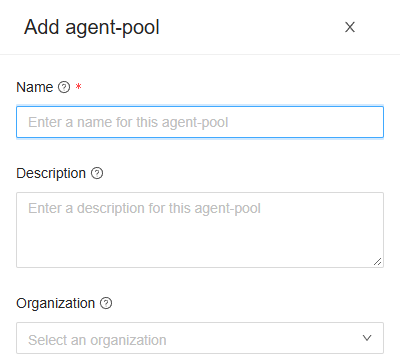
- Name: the pool's name.
- Description: what the pool's instances are, such as where they run.
- Organization: the organization that owns the pool, or empty for a shared pool, whose agents work for every organization. It can't be changed later.
Click Add, or Cancel. Edit opens the same fields without Organization, titled Change Agent-pool, with Change. When adding or changing fails, Spider says so: The agent-pool could not be added. Please try again shortly., or … changed …. A name in use already gives that message too.
Then add a token on the pool's Tokens tab, and start the agents with it.
Delete Agent-pool
Are you sure you want to delete this agent-pool? Its tokens stop authenticating, so no instance can register into it any more. Click Yes to delete it, or No. A pool that still has agents can't be deleted: delete them on Agents first.
Related chapters
- Agent-pool
- Agents
- Agent-pools, in an organization's settings.